It’s out!
TFC2: Collapse of the Bronze Age 1.0 is out now!
We started working on the first TFC prototype back in 2017. Today, TFC2 leaves Early Access, and we honestly can’t believe we’re writing this post. This is a huge milestone for us, and we’re so happy and proud to finally share the finished game with you.
A few months ago we launched into Early Access with the first acts of Mutti’s story. Since then you’ve played the campaign, reported issues and told us exactly what to fix. A lot of what’s in this update comes straight from you, and we couldn’t have done it without you. Thank you!
Today the campaign is complete, and the Map Editor we promised is finally in your hands. Let’s get into it!
Concluding Mutti's Journey
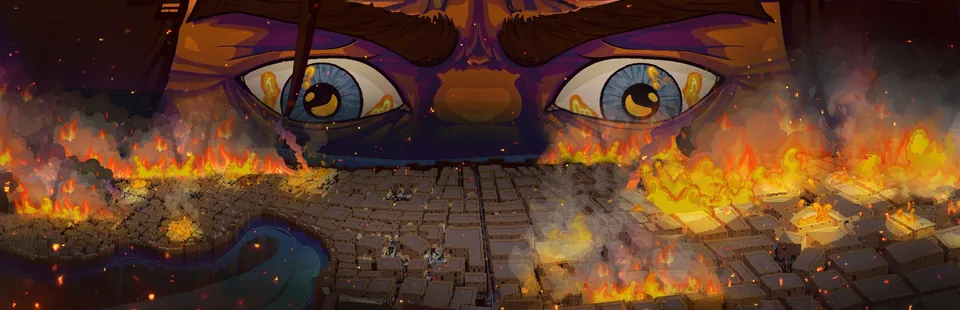
The wait is over! Three new missions finish the campaign, bringing it to its full 17 missions. They conclude the journey of Mutti and his family, which began with a burning Hattusa and one goal: keep his family alive.
We won’t say more, because we don’t want to spoil anything. This story means a lot to us, and we’re excited and a little nervous to hear what you think of the ending.
We’ve also gone through the rest of the campaign for 1.0, with fixes for several missions, and plenty of polish. The full list is in the change log at the bottom of this post.
Map Editor
We're really excited to share this one with you. The Map Editor is the tool we used to build the whole TFC2 campaign, and now you can use it too!
It’s much more than a skirmish map maker. You can script your own campaign missions with triggers, events and dialogue, using Lua. You can place units, buildings and objects, give them tags and group names, and open the map’s script right from the editor. The map restarts whenever you save a change to the script. If your script has an error, a console pops up with a button to copy it, and we’ve worked hard to make sure a script error won't crash the game.
Your maps are saved locally, and the Open Folder button in the editor takes you straight to them (Steam Workshop support will come in a future update).
This is only the first version, and we want to shape it together with you. Tell us what you’d like to see, what’s confusing and what’s missing. We can’t wait to play what you create!
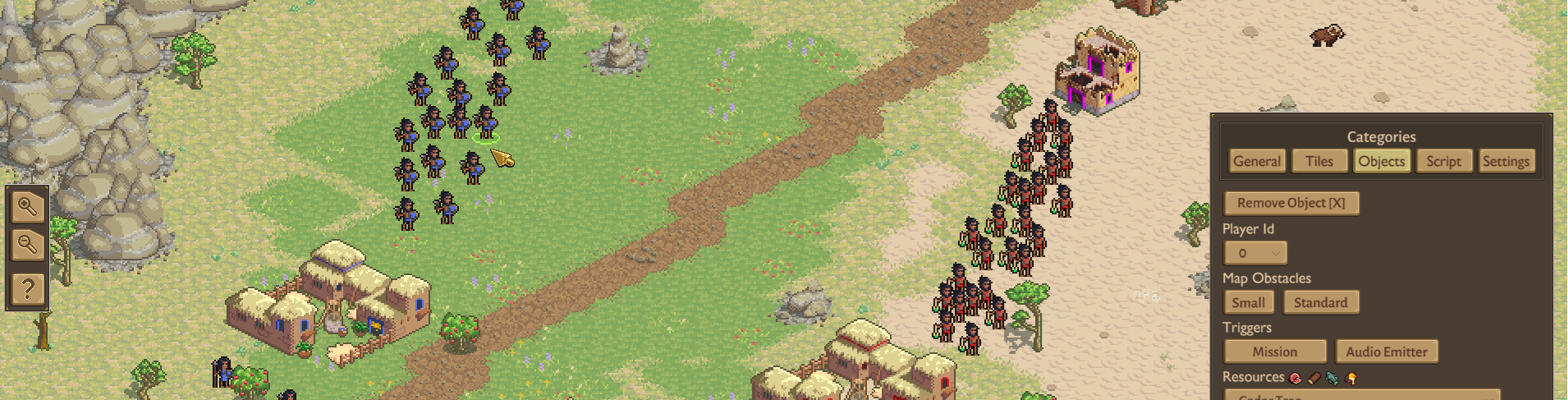
Template: Mini Horde Mode
To help you get started, we’ve included a template called Mini Horde Mode. It’s a small, complete map where waves of enemies attack you, and there’s even some dialogue! Open it, see how we use scripts to trigger events, and save it as your own local map to use as a starting point.
More templates are planned, so let us know which ones you’d like to see.
THE FERTILE CRESCENT 2 MAP EDITOR CONTEST
1.0 comes with something we've been excited to put in your hands: the brand new Map Editor. To celebrate, we're running a community contest. Build a map, share it with us, and you could win a free game from the MicroProse catalog.
You can go any direction you like. Remix a favourite campaign mission, rebuild a historical battle your way, or make something completely wild that nobody has seen before. Creativity counts more than polish, so don't be shy.
How to Enter
There are two ways to submit your map:
- Discord: Post your map in the #map-editor-contest channel on the official The Fertile Crescent 2 Discord. Include your map's name, a short description, and at least one screenshot. If you also attach the map file so we can play it, even better!
- Steam: Upload a screenshot of your map to The Fertile Crescent 2 Community Hub on Steam. Put #FC2MapContest in the title and add your map's name and a short description.
You can submit up to 3 maps, but each person can only win once.
Where to Find Your Map Files
There are two ways to find your map files:
- Click the Open Folder button in the Map Editor, under the General category.
- Or go to this folder: C:\\Users\\USER_NAME\\AppData\\LocalLow\\Wield Interactive\\TFC2\\Maps
Deadline
Entries close Sunday, December 6, 2026 at 11:59 PM ET. Winners will be announced on our Discord and Steam page soon after.
Prizes
We'll pick up to 5 winners. Each winner gets a Steam key for any game in the MicroProse catalog, their choice.
What We're Looking For
- Creativity and originality
- Fun to play
- Smart use of the Map Editor's tools
- That extra bit of personality that makes a map stick with you
The Fine Print
- Entries must be your own original work, made with The Fertile Crescent 2 Map Editor.
- Keep it respectful. Entries with offensive content will be removed.
- Winners will be contacted through Discord or Steam, depending on where they submitted. Prizes need to be claimed within 14 days.
Get Help!
Join our Discord and ask for help in #map-editor-help if you have any issues. You can also ask us in the Steam discussion forum.
We can't wait to see what you build. Good luck, and have fun!
Change Log v1.0
New
- 3 new campaign missions concluding Mutti's and his family's epic journey
- Map Editor
- Map template: a 'Mini Horde Mode' that you can use as inspiration
General
- Pathfinding improvements
- Audio improvements
- Localization improvements
- Mission objectives panel resizes with content
- Selecting objects is more precise
- New character portrait for Oglum that better reflects his height
- Improved Hittites heavy chariot attack animation
- Added Babylonia title to campaign world map
- Improved King of the Hittite's dialogue portrait
- Fixed problem for all fonts in the game that could render character pairs too close to each other
Missions
- Mission 1: changed army composition of the last group of enemies
- Mission 4: fixed a problem with Defne's idle animation before a village center is placed
- Mission 8: assyrian military units have fully upgraded look
- Mission 10: fixed that readying another hero at the Altar of Heroes before Anilli would prevent a mission objective from showing as completed
- Mission 14: threat symbol on minimap saves and loads correctly
Balance
- Oglum has 3 melee armour (from 2)
Bugs
- Fixed memory leaks
- Fixed a problem with some hero animations caused by unlocking Elite Hittite Swordsman
- Added missing civ icon for Hittites in civ info panel
- Can't place village center twice anymore to cause error in multiplayer when there is a big delay
- Scrolling camera position with middle mouse button gets interrupted when dialogue opens
- Fixed problems with rendering waypoints looking glitchy
- Fixed that a large group spawning by the map edge in some cases would leave units behind to idle
- Resetting active pause resets soundscape correctly when exiting game scene
- Fixed wrong overwrite hotkey labels
- Made it more precise to select buildings, resources and map objects
- River and Plains map types are no longer swapped in Skirmish mode
- Units following idle unit will also play idle animation when reaching it
- Advice panel pictures match outlines setting