Hello from the Triassic Games team!
We are bringing a major map rework to the Sea Power Public Beta Branch today.
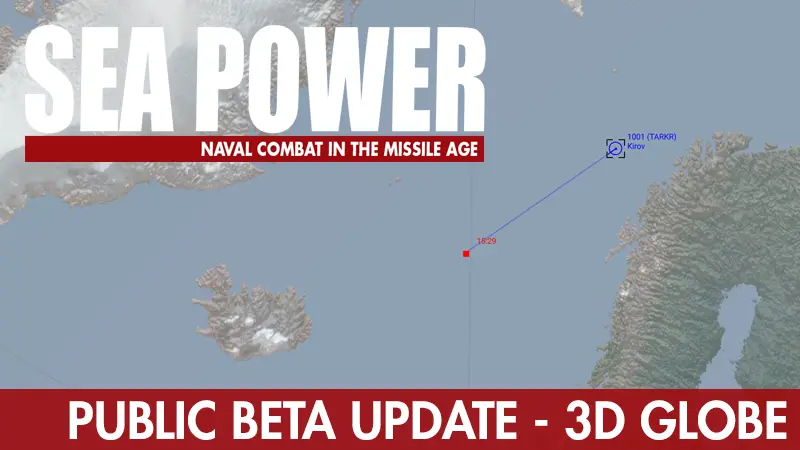
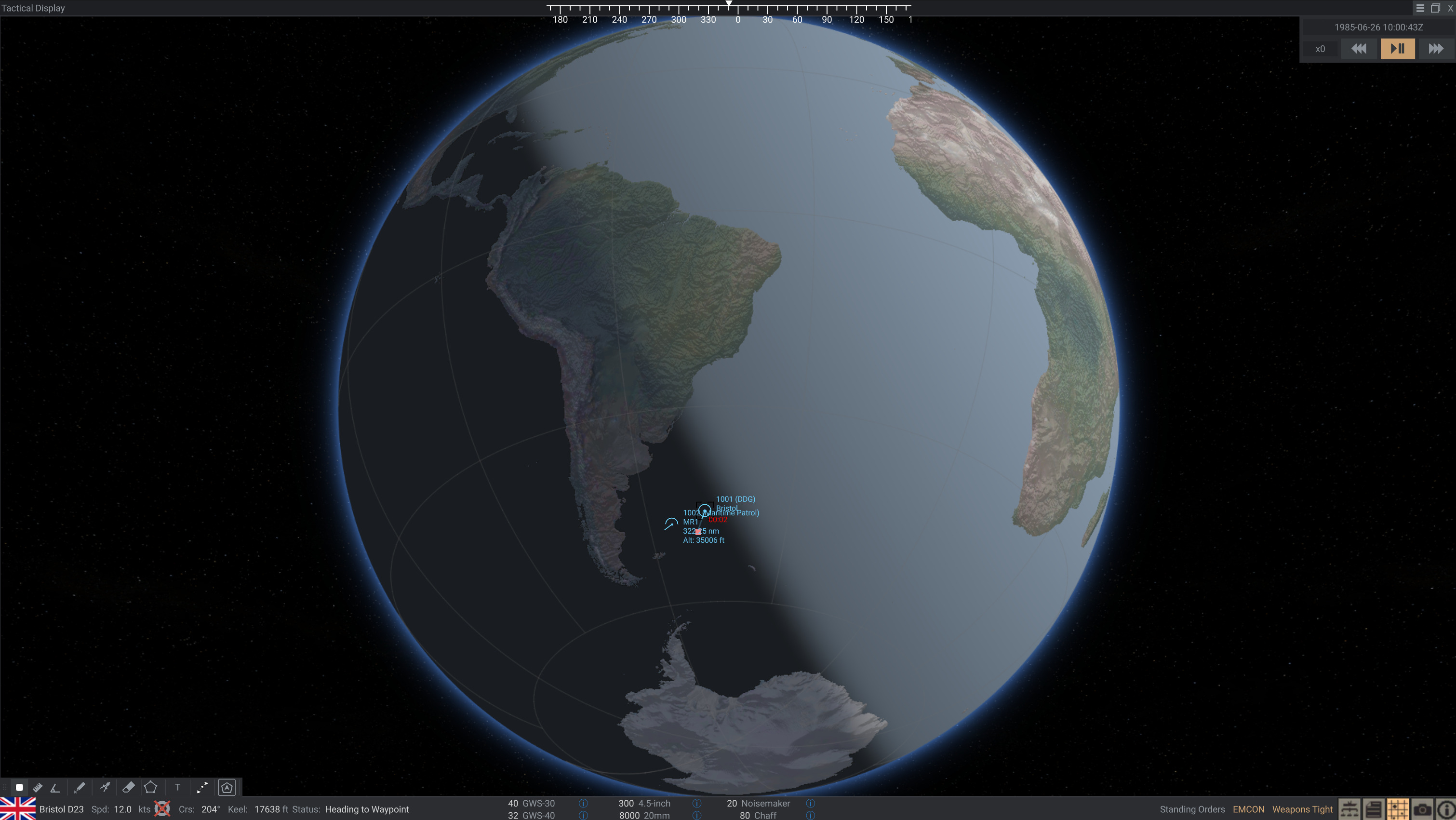
This update introduces our new 3D globe and LCC (Lambert Conformal Conic) map and terrain system. The tactical display now represents a spherical world, correcting the distortion at high latitudes, addressing the International Date Line issue, and making scenarios over the poles possible. There’s also new map rendering, automatic label placement, and a day/night boundary.
For players, one of the biggest differences is distance. East–west distances at high latitudes are now more realistic, which can change how aircraft fuel ranges, missile reach, and the spacing between forces affect a scenario. Missions closer to the equator should see much less difference.
This is a work in progress and a significant change behind the scenes. We’d particularly appreciate feedback from anyone revisiting familiar scenarios. Let us know about unexpected unit positions, routes, range calculations, terrain or map issues, and changes in performance or stability. When reporting a problem, please include the mission, any mods you’re using, and a screenshot or save where possible.
Instructions for how to access the Public Beta Branch are available here.
Other changes
Beyond the globe and map rework, this Public Beta also includes:
- Aircraft handling, formation, carrier operation, and attack behavior fixes.
- Sonar and radar improvements, including fixes to radar lookdown behavior.
- Weapon reliability and damage updates, revised CIWS ballistics and balance, and visible launch failures.
- Updates to the campaign UI for task force management and mission launch.
- More flexible scenario sides, alliances, and shared sensor pictures.
- New Mission Editor attack, waypoint, and trigger tools.
- Distance-based sounds (spatial audio)
- Clickable track numbers in the event log.
- Performance optimizations, unit and loadout corrections, and translation updates.
- New mod file layers for selective overrides, including mission-specific changes.
The changes in this Public Beta are scheduled to be included in the November 11th release.
For scenario creators and modmakers
A few notes for scenario creators and mod users on the new changes:
- Existing missions should update automatically, including generating a play area that attempts to contain their units and waypoints.
- To check or adjust the result, open your mission in the Mission Editor, review the play area’s center, rotation, and edge length, then save your changes.
- Play areas can be up to 5,000 nautical miles per side. Very large scenarios may need adjustment, while smaller play areas can help reduce VRAM usage.
- Missions at high latitudes may need positioning or timing adjustments to account for the corrected distances.
- Mod developers: AnchorChain mods may need compatibility updates, so please check them against this beta.
Regarding the "play area"
The new map system limits each tactical mission to a 5,000 × 5,000 nautical mile play area, so circumnavigating the globe within a single mission is no longer possible. We do not expect this boundary to affect normal Sea Power gameplay. For perspective, Black Buck covered approximately 3,300 nautical miles each way between Ascension and the Falklands, while Honolulu to Tokyo is approximately 3,350 nautical miles.
This limits the mission’s geographic extent, not the total distance units can travel. Existing missions receive an automatically generated play area, although exceptionally large custom scenarios may need adjustment.
Thanks to everyone who takes the time to test and report issues!
- The Triassic Games team
Gallery
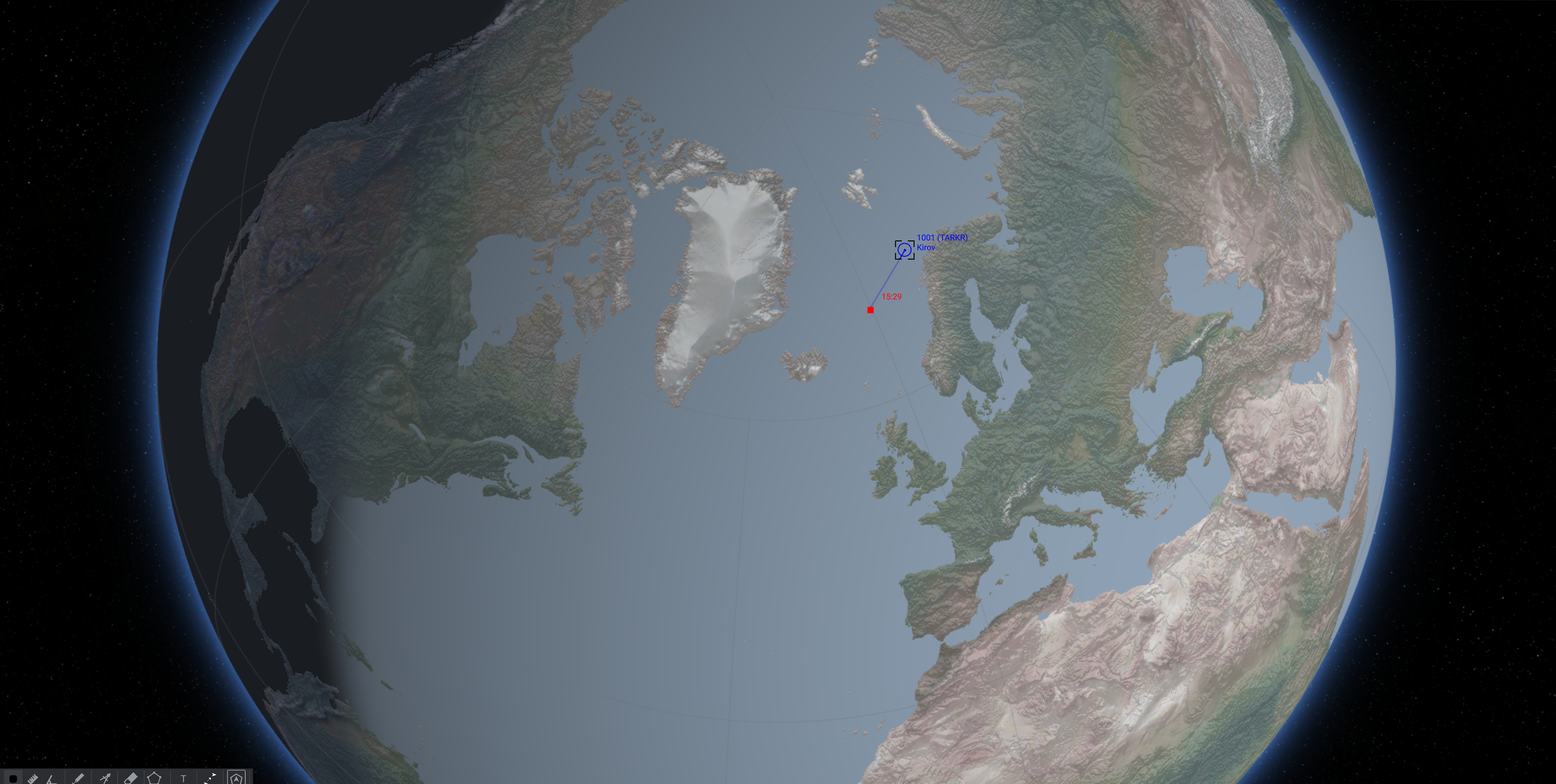 View of the 3D globe from within the in-game Tactical Display, zoomed out.
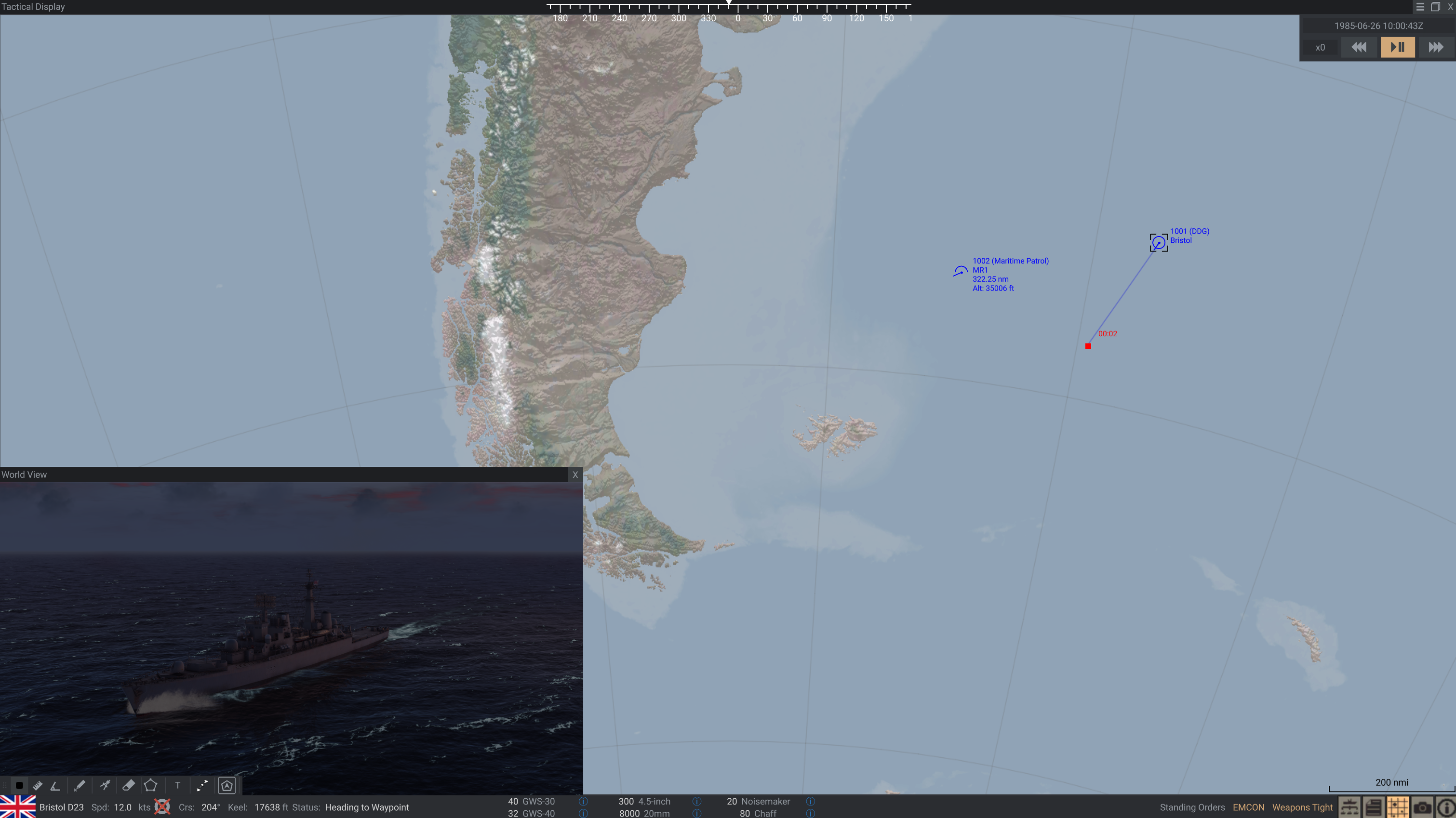 New map projection shown in the South Atlantic.
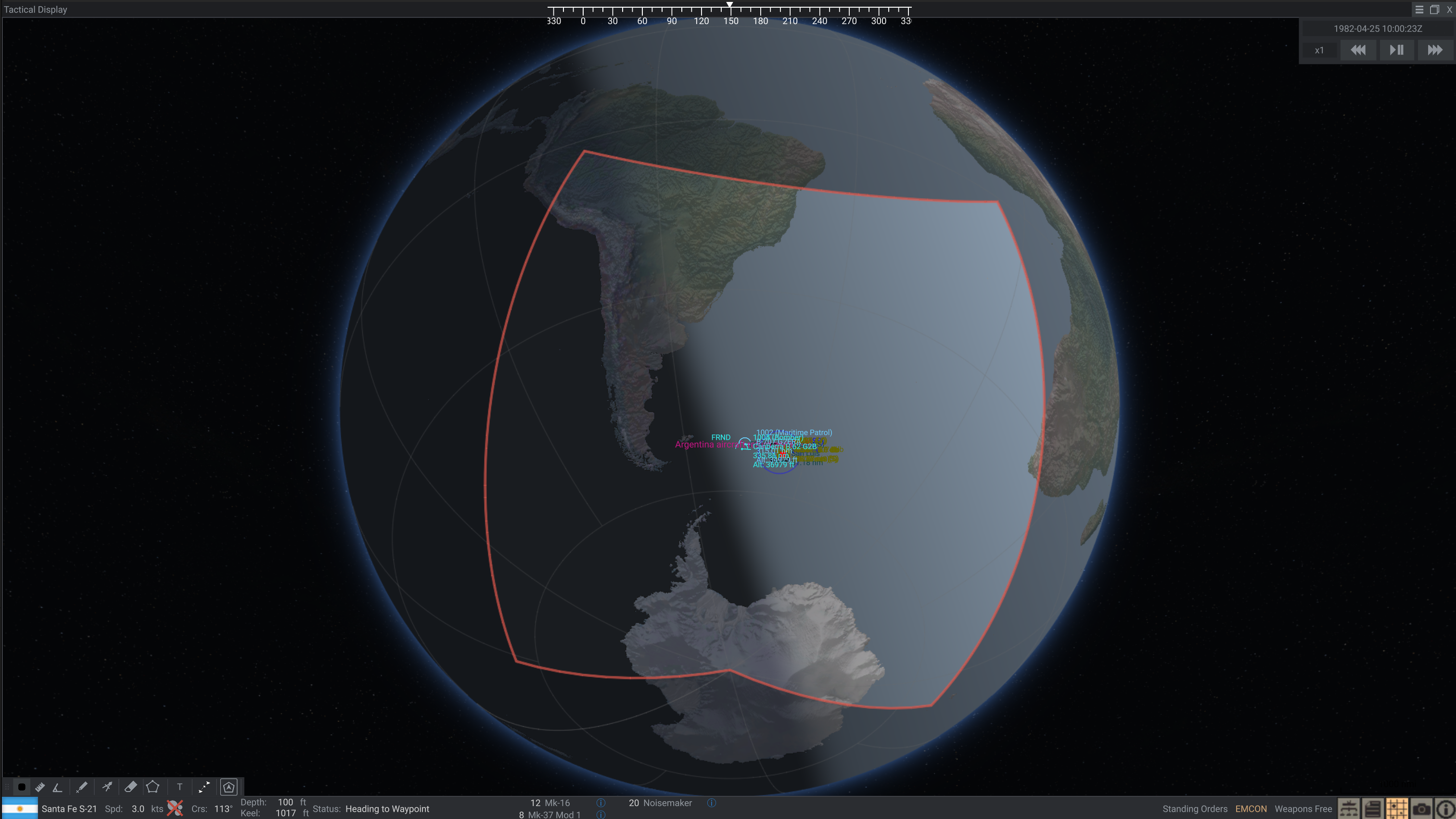 A maximum sized play area (5000x5000nm) centered in the South Atlantic, showing the extent of the playable mission zone.
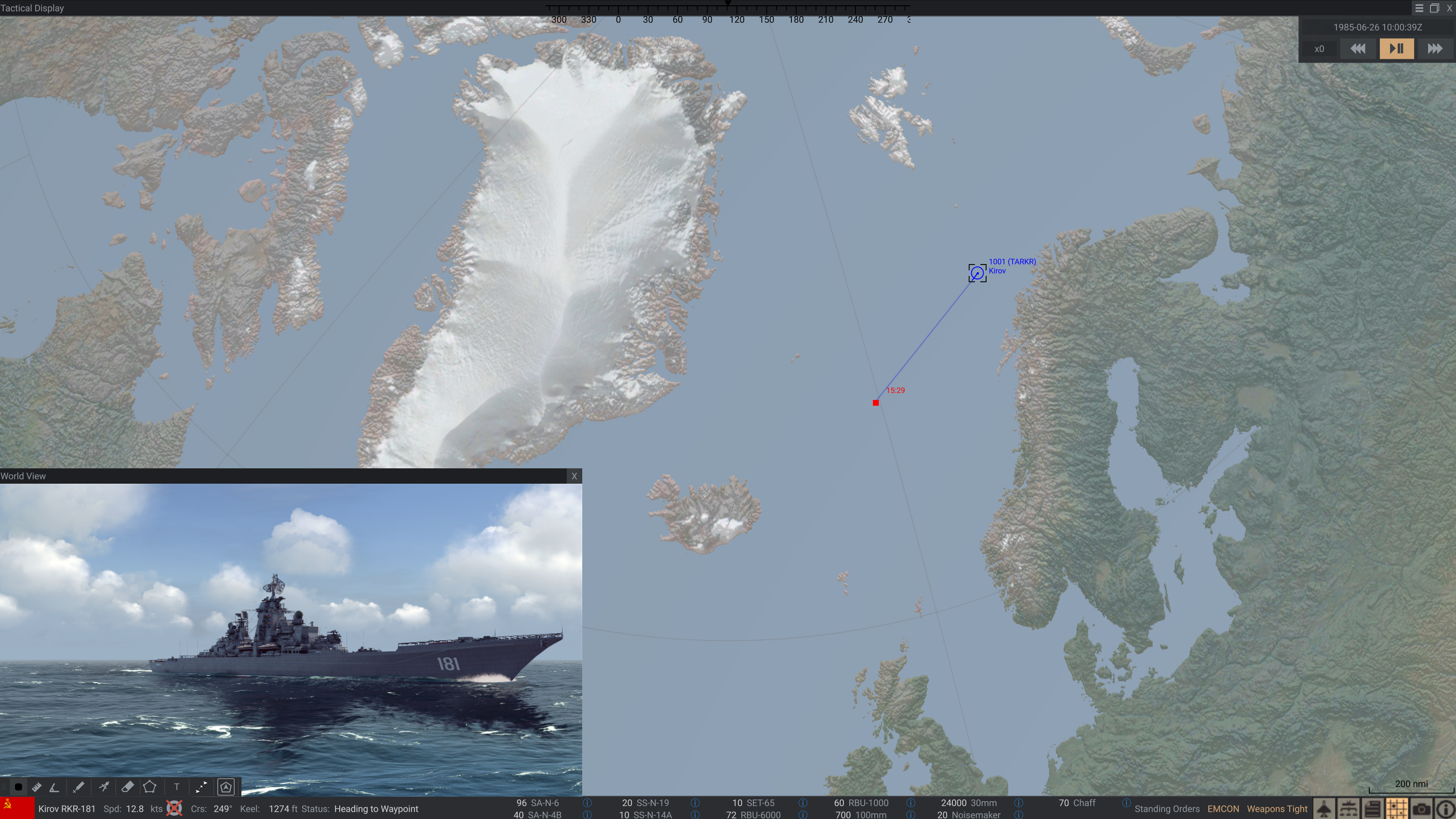 New map projection shown with map center in the Norwegian Sea.
 Day-night boundary will now appear on the globe when "Auto" map mode is enabled. Players may still put the map into Light or Dark mode depending on their preferences.