Greetings!
I want to thank you all for a great launch, and apologize for this update taking longer than I would have liked. Immediate feedback gave me a lot to think about, and a lot of Quality of Life features to plan, schedule, and implement. Many suggestions have been included in this update.
Let's see what is new!
📌Highlights
- Ultima Mundi Phase 6
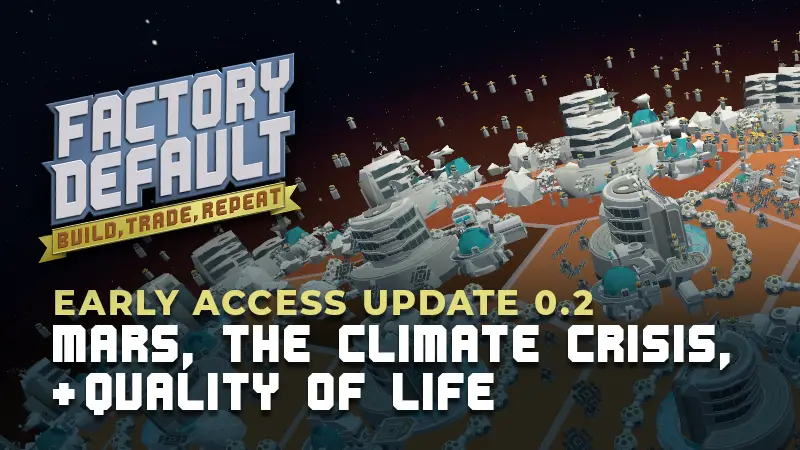
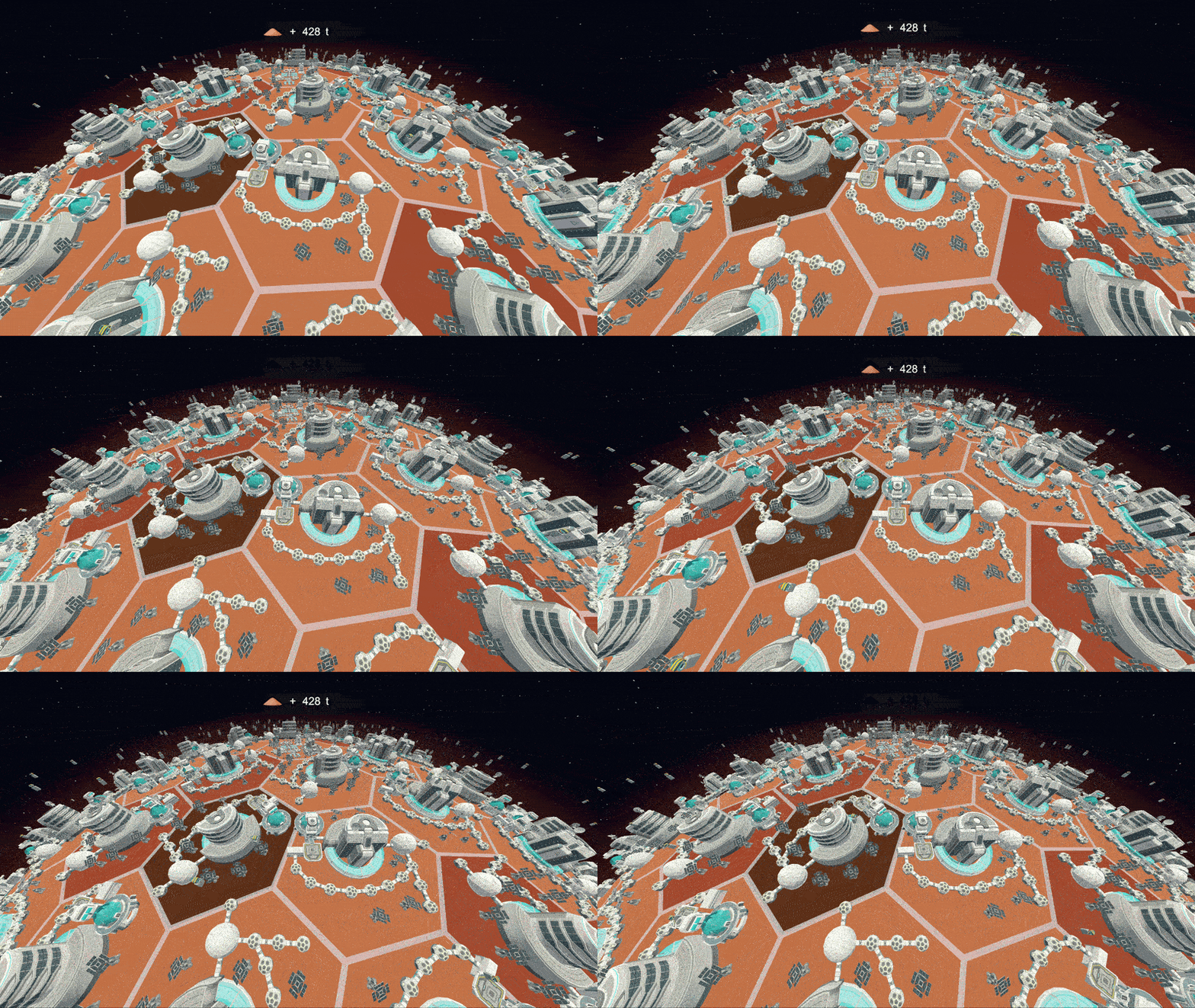
Take our mining operations to Mars using parts made from Lunar Regolith, and begin preparing Martian Regolith supply chains for Venus.
- Director Mercer & The Global Climate Crisis
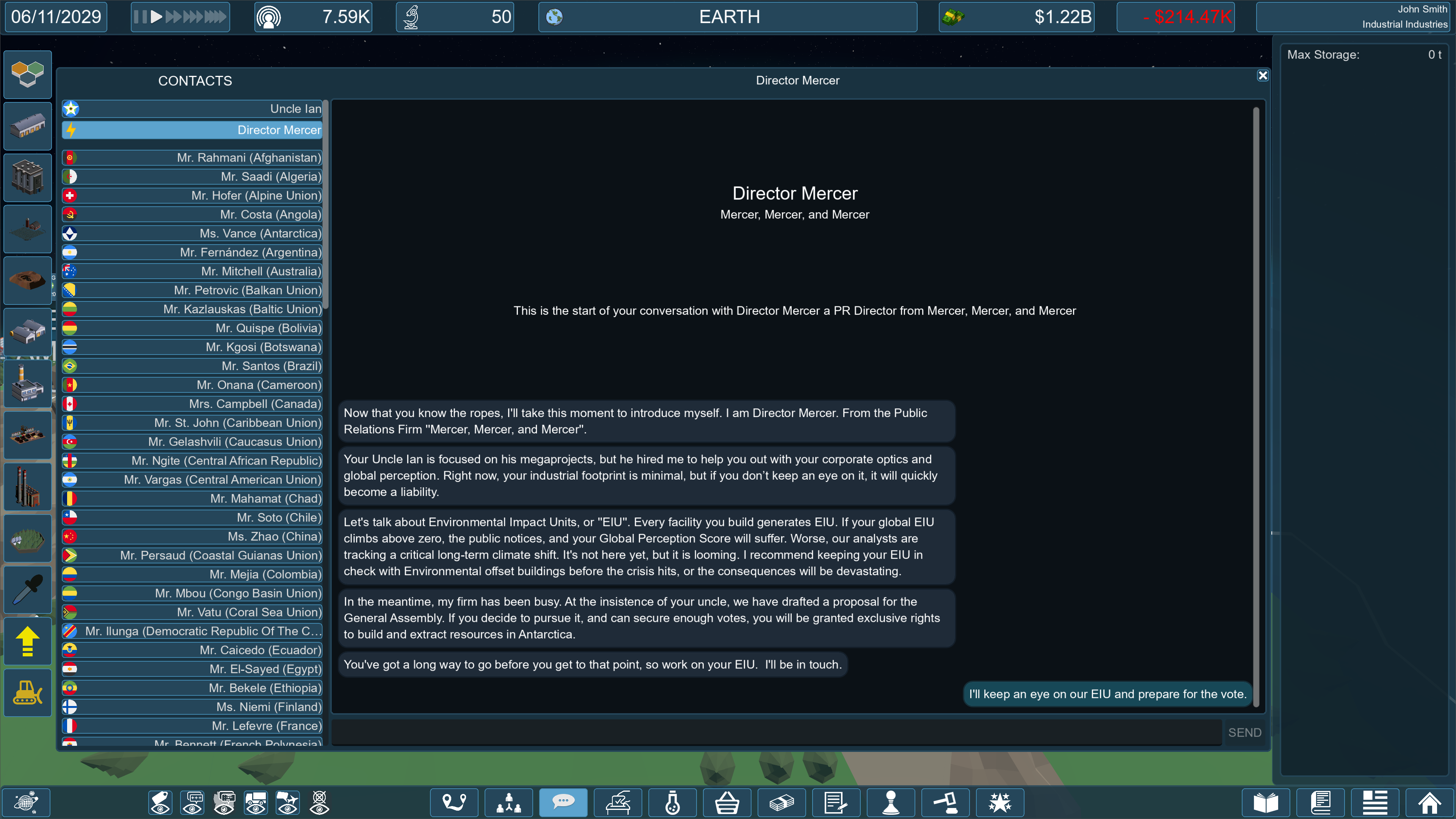
Meet Director Mercer, your new PR contact who introduces major global events, starting with the Climate Crisis.
- Tile Info Panel Overhaul
Rebuilt with a live financial ledger that factors in local supply, contracts, exports, and manager overhead. As well as 20 different operational alerts, a "downgrade" button, and live hover projections for upgrades/downgrades.
- Storage Panel and Trade Route QoL
Track daily import, export, and active contract rates directly from the Storage Panel, right-click any item to start a pre-filled Trade Manifest, and enjoy the new 1-click departure frequency selector.
- Major Economy and Nuclear Supply chain rebalance
Upgrading buildings no longer costs influence. Employee efficiency maximum now scales with building level. Agriculture, packaged goods, livestock and nuclear fuel supply chains have been rebalanced.
- WASD Camera Controls, Ultrawide support, and Low-Res Readability
Navigate the globe with re-bindable WASD + Q/E + Shift/Alt controls. Ultrawide UI support, and sharper font rendering on <1080p displays.
- Building while paused, and much more!
Here is a quick video covering the major changes
Full Patch Notes
STORY
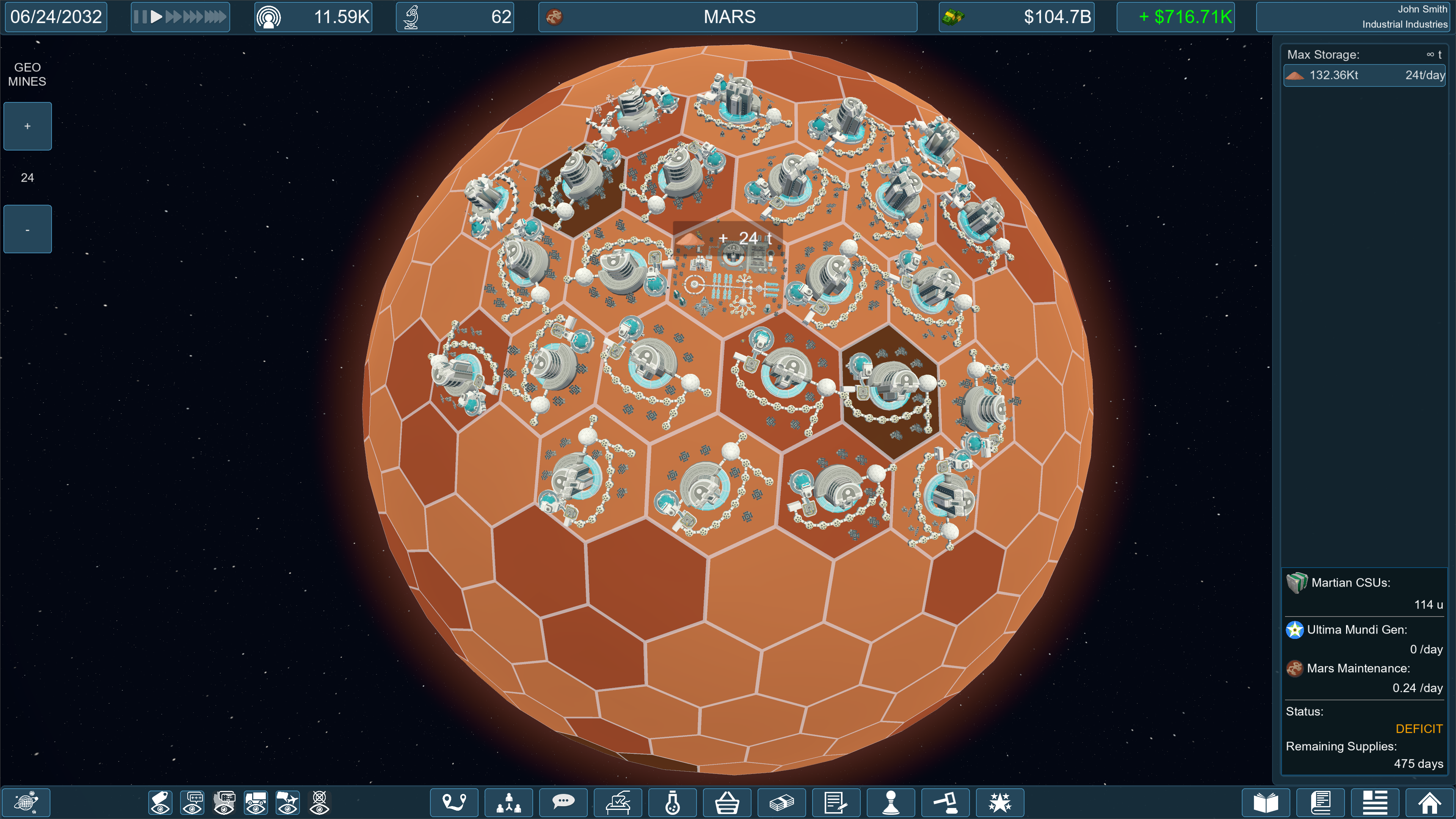
Phase 6 - "Mars" is completable allowing you to build mining colonies on Mars.
Take your new Martian Regolith and refine it into Perchlorate Oxidizer to manufacture Acid Resistant Seals to pack into Venusian Colony Supply Units.
Phase 7- "Venus" is start-able, allowing you to get ready for the next phase.
DIRECTOR MERCER & THE CLIMATE CRISIS
A new contact has been added to the rolodex. Meet Director Mercer from the PR firm Mercer, Mercer, and Mercer. They will be in charge of informing the player about new mechanics in the game that are added as the story progresses.
They will introduce themselves once you complete or dismiss the tutorial. (Or if you load in a save from before Mercer existed, you will be greeted as soon as you load in.)
Upon completing phase 6, you will be told that the time has come, and the global climate crisis has reached a tipping point. Global governments are pushing the blame onto corporations, and you must do your part to greenwash the new Environmental Impact Unit penalties. Failure to comply with a daily-max EIU of 0 will result in forced efficiency reduction. (50% penalties for farms, livestock farms, and wharfs.)
A green leaf icon on the Global Perception menu will indicate when the Climate Crisis has taken effect. A red exclamation mark over it means that you are failing in keeping your EIU below 0, and are receiving the 50% penalty.

Mercer will tell you when other game mechanics unlock (in future updates). Satellite production, Class Action Lawsuits, a new "Compute" resource, Asteroid Auctions, The Fusion Revolution, and Sovereign Debt Buyouts to name a few.
BUILDING AND PLACEMENT SYSTEM OVERHAUL
Building Rotation
- Buildings will not be randomly rotated when placed, and start with a default alignment.
- You can now click and hold when placing a building to rotate it before letting go and finalizing the building.
- Added a dead zone to rotation to avoid accidental micro-rotations.
- The Paint/Eyedropper tool now copies the rotation of the cloned building. You can also further rotate the blueprint before finalizing placement just like any other building.
- Right click or press ESC while holding LMB to rotate, allowing you to cancel the placement completely.
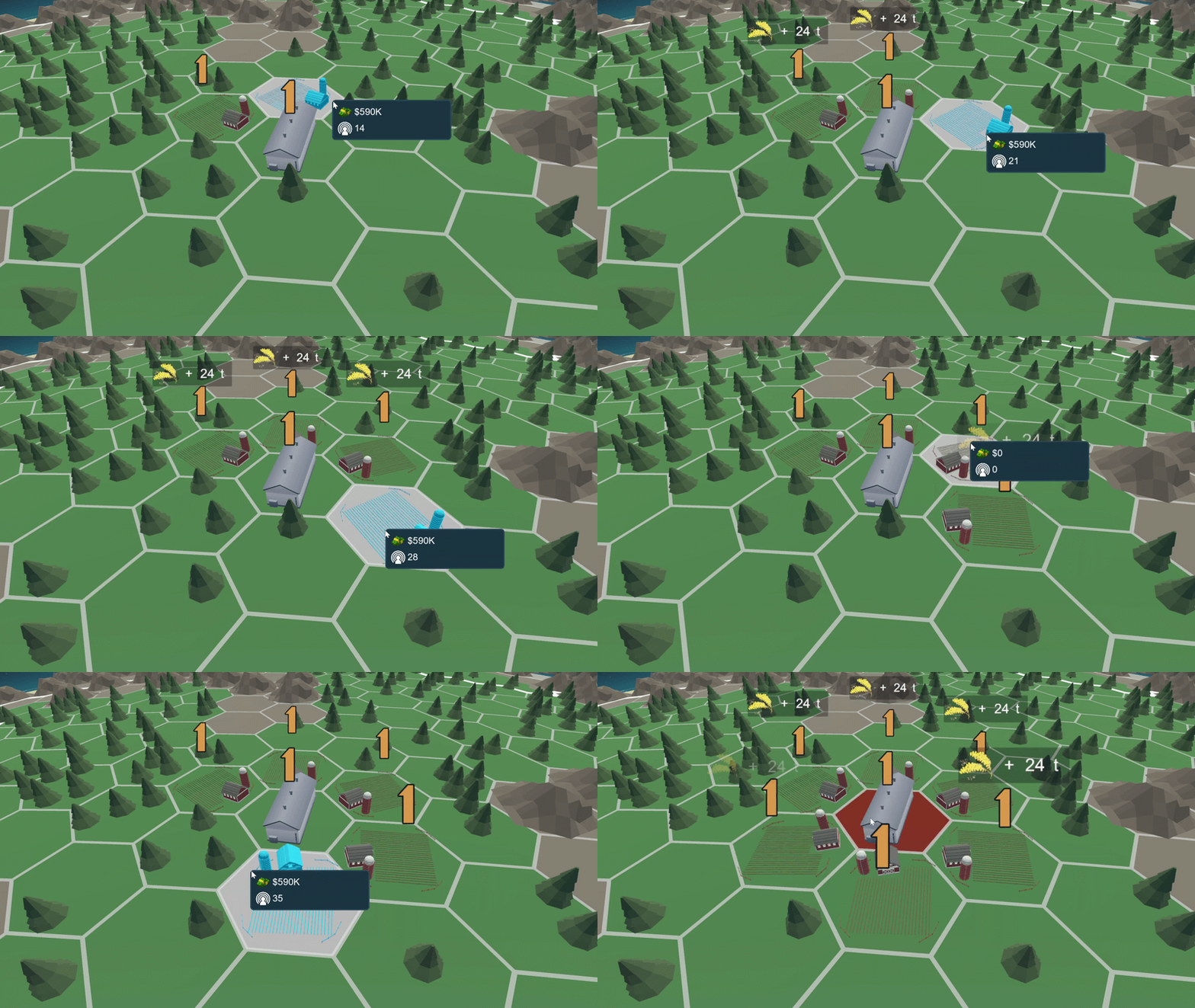
Blueprint Visuals
- Building blueprint is now blue and shows the building mesh the way it will appear when built instead of vague blocks.
- Removed the confusing "Green" hex highlight. The map now strictly uses white for valid placements, and red for invalid placements.
- Hovering over invalid terrain or outside of a locked country's borders will now turn the blueprint red.
- Hovering over an existing building will no longer awkwardly overlap a blueprint on top of it.
- Trees and Mountains will now temporarily hide themselves under your blueprint so you can clearly see your orientation.
- Building While Paused! More annoying than not being able to build while paused is the error sound and message you would get when you tried. Now you can! COPY AND PASTE
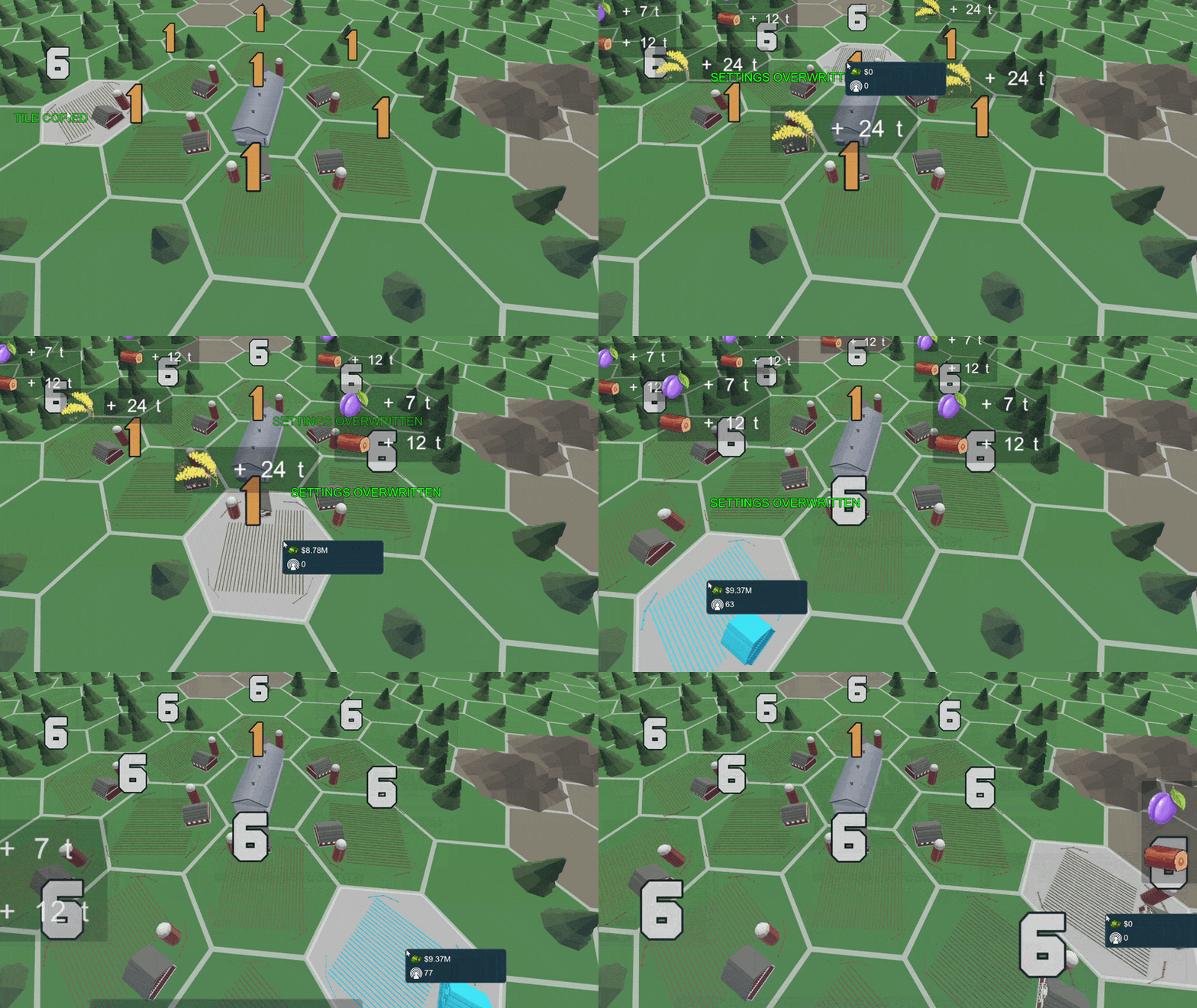
- You can now copy and paste onto different terrain types (as long as it is allowed by that building type.)
For example: you can copy a farm from a land tile onto a desert tile. All the settings will be the same, but you will still suffer the penalty of having a farm on a non-ideal tile.
- Terrain costs will be different depending on what type of terrain you are painting on.
- You can now copy and overwrite buildings.
Tired of having to adjust the efficiency of 20 blueberry farms one at a time, now you can copy one, and overwrite the settings of all your other farms just by clicking on them.
- Resource, Upgrades, and Employee stats will be overwritten. You will be charged for upgrades, but will get a 50% refund on downgrades.
NEW TILE INFO PANEL
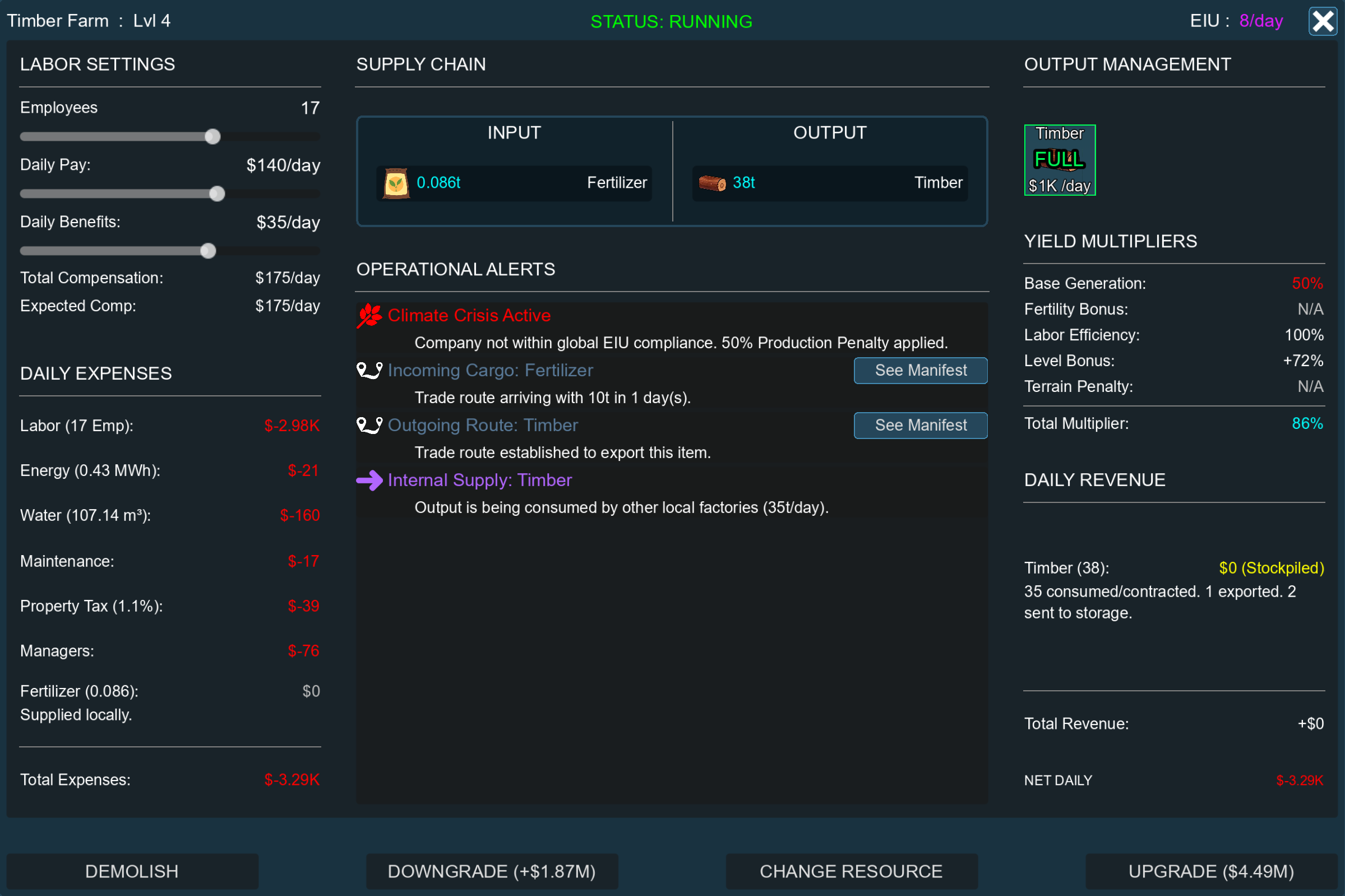
The previous Tile Info Panel showed you data as if the building was always standard. It assumed that you were supplying the input without cost, and selling it straight away without any other building needing those supplies. If you play the game, you know that there is no "Standard" building, and every scenario, there are no buildings in a vacuum. This lead to a lot of confusion amounting to basically: "The building says it's making money, but I don't know how, and the finance screen is telling a different story." The Building Info Panel needed an overhaul.
Improved Layout
On the left, Employee costs and Total Expenses. On the right: Management, Efficiency breakdown, Total Income. In the center, the recipe of the building, and alerts that the player needs to either deal with, or keep in mind while looking at this panel.
Expenses Ledger
Expenses breaks down every penny that goes into operating the building. Total Labor expenses, energy costs, water costs, maintenance costs, property tax, manager cost (divided by number of other buildings using the same manager), then the cost of your input materials. If you are supplying them yourself this number will be $0, if you are getting them any other way, you will see why and how much here. |
|

Yield Multipliers
What was once front-and-center is now off to the side. These are all the multipliers that your building operates on. Base generation, fertility multiplier, labor efficiency, level bonus, terrain penalties, and total.
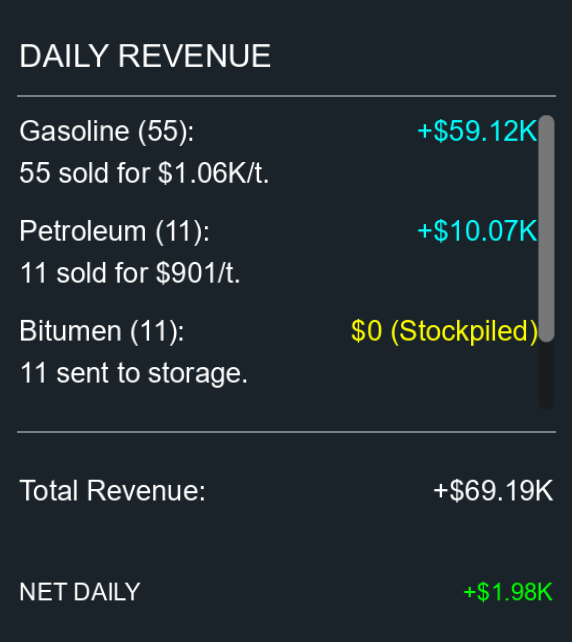
Revenue Ledger
This is how much you make from selling goods on the market. This takes into account goods that are used as inputs in other buildings in the country, active contracts that might be sucking up your output, as well as active trade routes that might be sniping goods out of your warehouse before your manager ever sees it. Below that is the total. If that number is not green, you should want to know why. |
|
Alerts
This is the most important part of this overhaul in my opinion. There are a number of issues or things to keep in mind with the building that might be good to know.
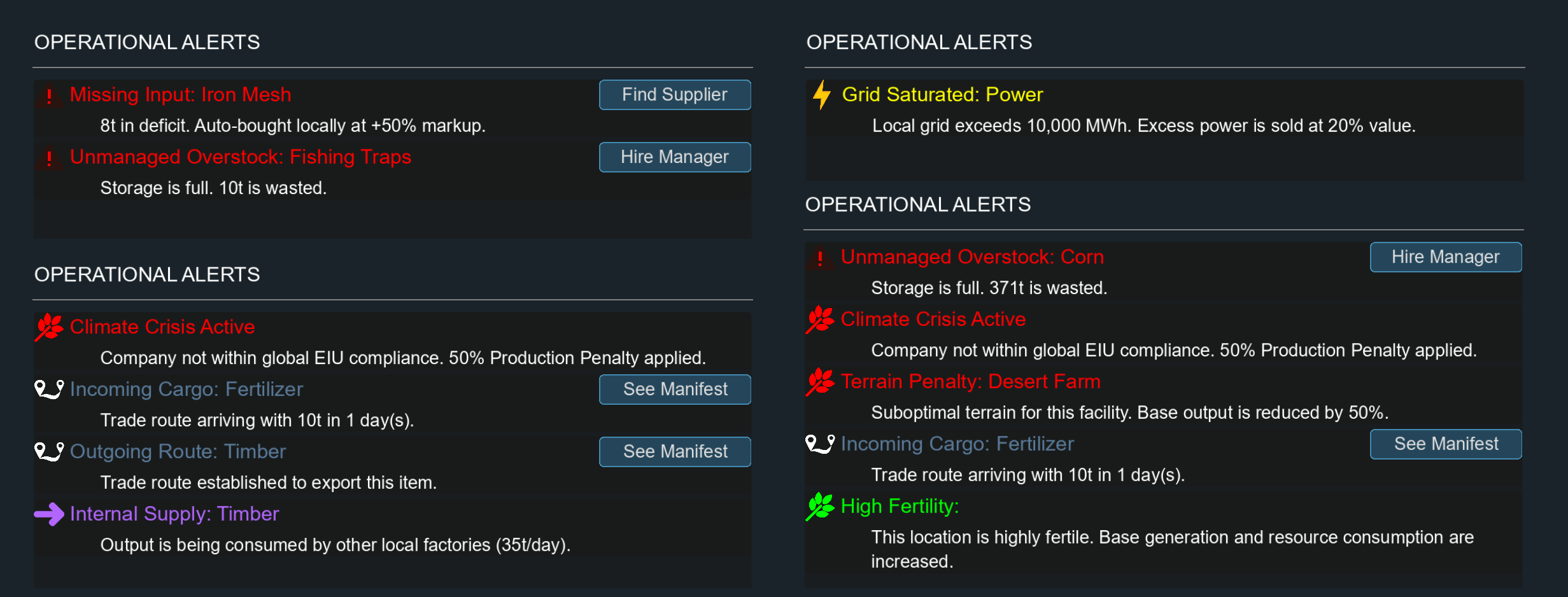
Here are the current alerts you can get in no particular order:
- "Production Idle" - There is no resource assigned to the building, so nothing is being produced.
- "Production Starved" - There is a shortage of a input item that can not be bought from the market. Production is frozen.
- "Unmanaged Overstock" - The warehouse is full, and we are continuing to produce this item. It is going to waste.
- "Missing Input" - Input item is not in storage, and there are no managers assigned for this input item, and there is no contract. The building is buying this input every day for 50% markup.
- "Suboptimal Supply" - "Missing Input", but there is a manager buying this from the market for a smarter 35% markup.
- "Climate Crisis" - The Global Climate Crisis is in effect and you are out of compliance. Until you fix it, this building will operate at 50% production.
- "Company Policies" - Any company policies you have active that affect the building are listed here.
- "Terrain Penalty" - This farm/mine/drill is using a terrain that is not ideal. Operates at 50% capacity.
- "Protected Item" - An item in the recipe is "Protected" meaning that it is 10X the cost to buy, and 10% the value to sell.
- "Restricted Item" - An item in the recipe is "Restricted" meaning that it simply is not allowed to be bought or sold. You better have a plan.
- "Incoming Cargo" - A shipment of one of this building's inputs is on it's way. (With an ETA)
- "Outgoing Route" - A trade route is in place to export an item in this building's output.
- "Contract Active" - A contract is in place to take some or all of this building's output.
- "Internal Supply" - Output of this building is slated to go into the input of another local building.
- "High Fertility" - Recipe is not operating at standard input/output. Local fertility is 200% or 300%.
- "Grid Saturated" - Local power exceeds maximum Tier 1 value. Anything after that is sold at 20% or lower.
- "Grid Overloaded" - Local power exceeds maximum Tier 2 value. Anything after that is sold at 4% or lower.
- "Grid Critical" - Local power exceeds maximum Tier 3 value. Anything after that is sold at 0.8% or lower.
- "Grid Exhausted" - Local power exceeds maximum Tier 4 value. Anything after that is discarded.
- "Environmental Offset" - This building doesn't produce anything, but instead serves as an offset for Environmental Impact Units.
Buttons
- Demolish
Like before, there is no refund for demolishing a building. We will assume the cost of demolishing a building is matched by scrap value.
- Change Resource
Easily change the resource that the building is producing. Just know that you will return to level 1 when you do so. You will be refunded 50% of the value you put in to upgrade beyond level 1.
- Upgrade
No longer costing influence, spend your money to improve the production of the building. The ratio of the recipe doesn't change, just the multiplier. Your employees will expect better coverage, wages, and benefits.
- In addition, hovering over this button will give you a projection of all stats that will change when you press the button.
- Downgrade
A new button that allows you to take levels back. Refunding at 50% of the value you put in to upgrade. This will also give you the projection of what your stats will be.
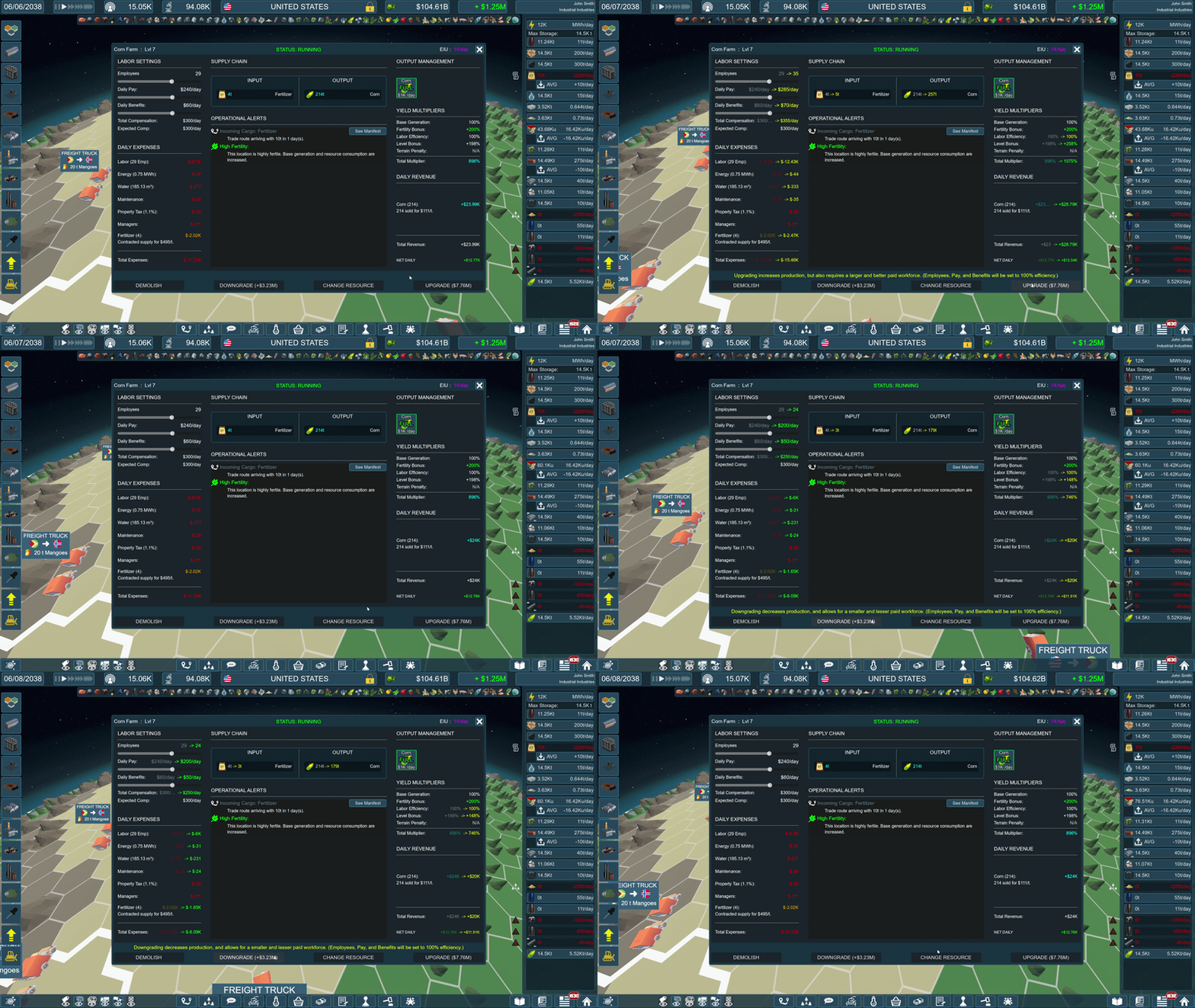
STORAGE PANEL IMPROVEMENTS
Imports/Exports line visible underneath production line.
Active and Accepted contracts will appear on their own line.
|
|

NEW ITEMS
Added Gasoline. 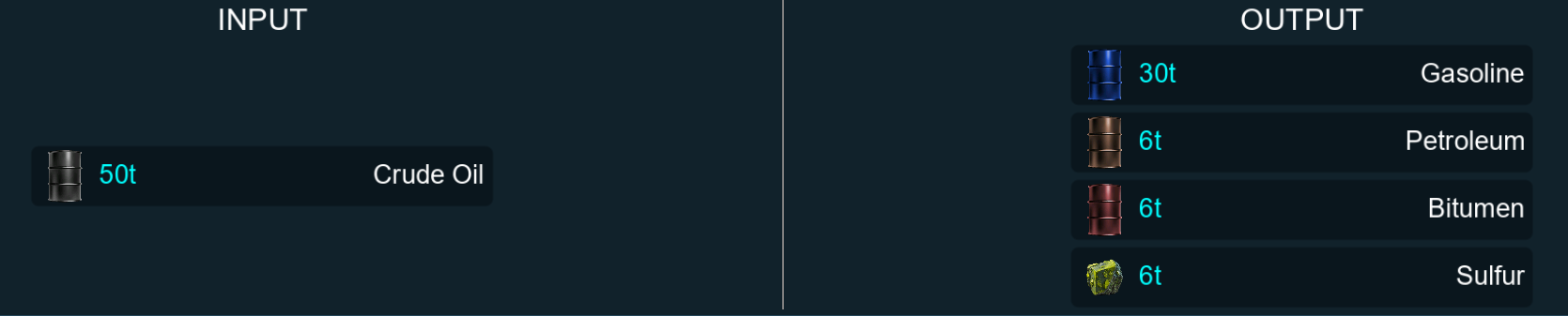 Crude Oil (50t) makes Gasoline (30t), Petroleum (6t), Bitumen (6t), and Sulfur (6t). Base price of $1,000/ton.
Venusian Regolith and Venusian CSUs were in the game already, but they are now manufacturable.
UI
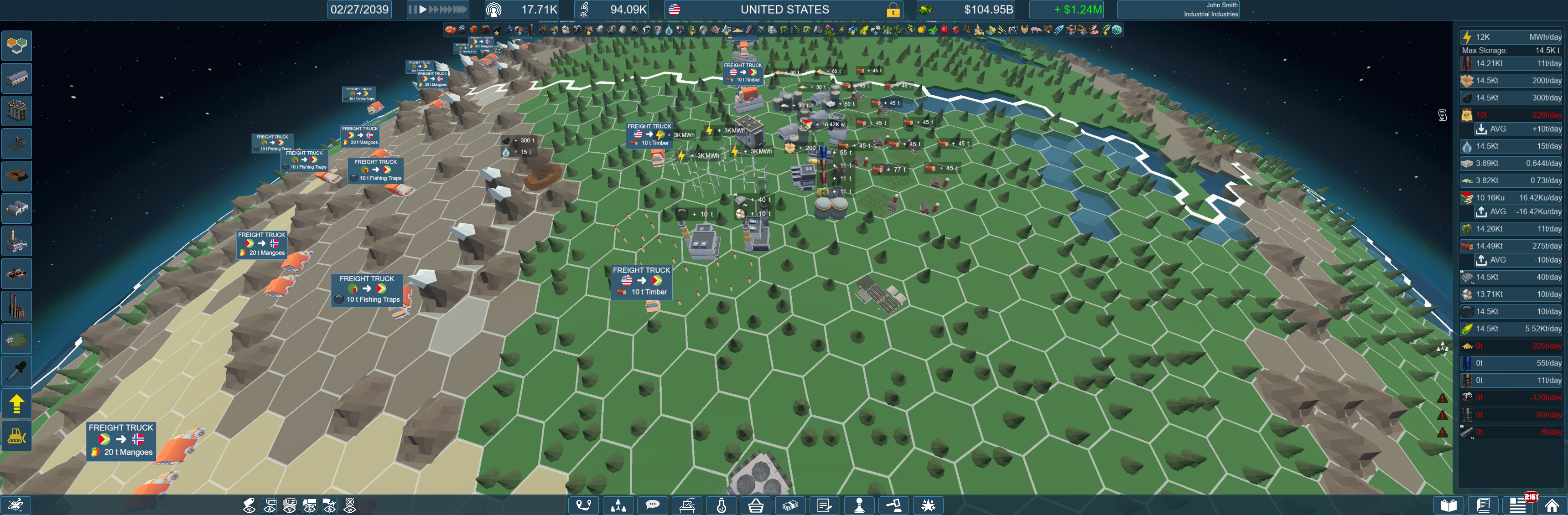
- Added ultrawide monitor support. The UI will now scale to whatever window size you have.
- Added additional resolutions to Game Options.
- Adjusted scaling so that text would be easier to read at lower resolutions.
- Aligned the flags within the "Fertilities" section of the Library, since they were often askew.
- Reduced the brightness of the "Currently Hovered" tile from pure white to a dimmer gray.
- Added Icons to the countries listed in the Trade Manifest.
- Adjusted global font to look better at resolutions <1080p
QOL IMPROVEMENTS
- Building trade buildings will now only trigger the trade menu if that is the first of that building type in that country. (First warehouse in a country will trigger trade menu, second+ will not.) The menu will also be skipped if you build a warehouse on a tile that is not connected to the mainland. Since you can't trade from there.
- Storage panel now instantly updates when you build a building or make a change to a building's efficiency instead of having to wait a whole day. (This was done because otherwise building with the game paused would not let you see any new information.)
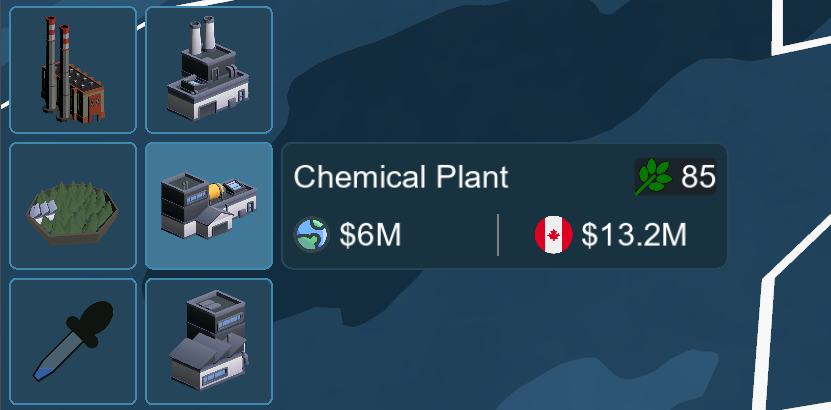
- Build Menu now shows all building's EIU generation, including the most important: EIU Buildings. Now you aren't flying blind when trying to keep your EIU low
- Right-Click on any item icon to begin a trade manifest with that item. If you do it from the storage panel, it will pre-populate the sending country, and will grab the first trade method available, if there is one. Do it from the contracts menu, and the manifest will auto-fill that country as the recipient.
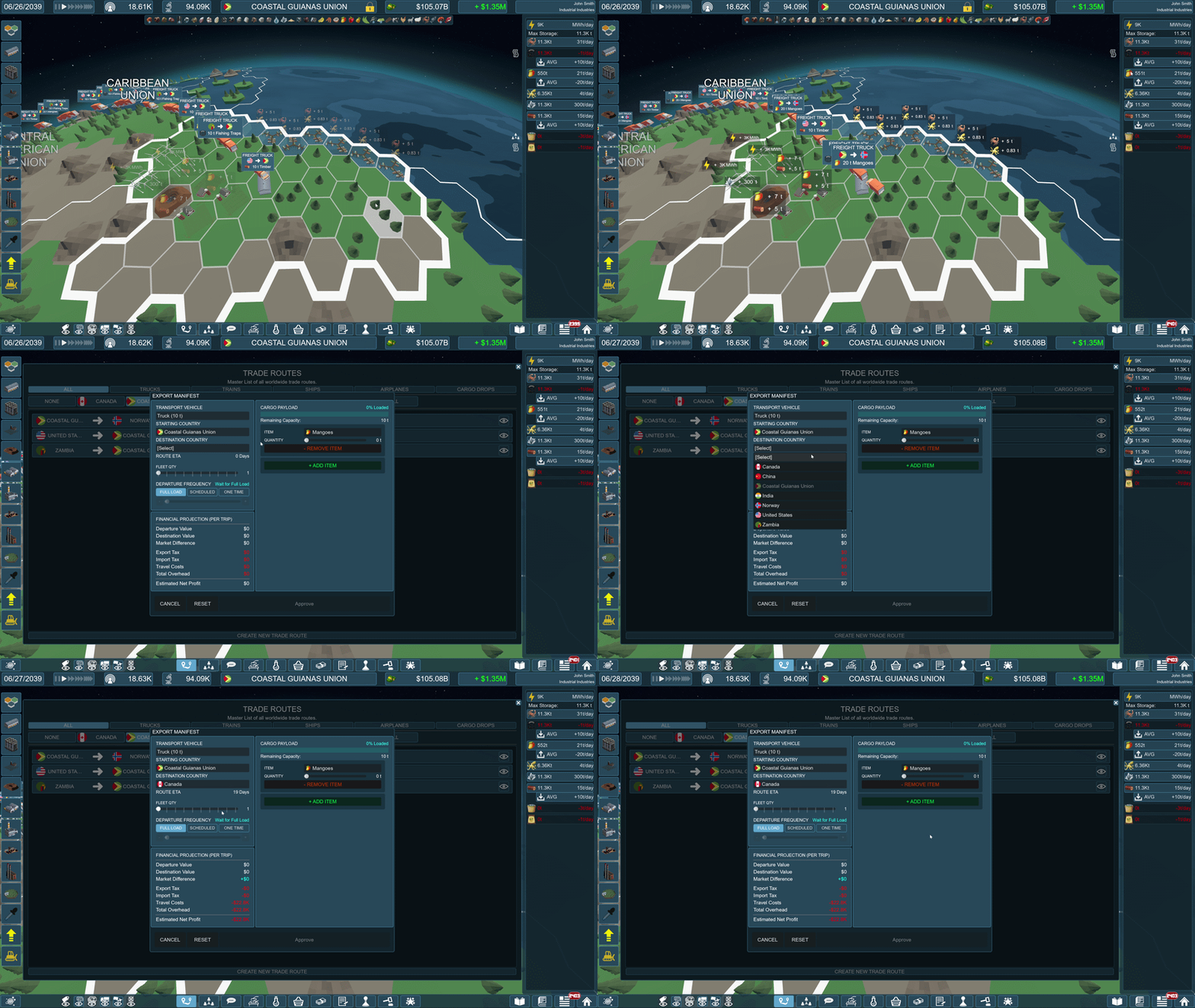
- Alphabetized the order of Starting and Destination Countries in the Trade Manifest, as well as the Items list.
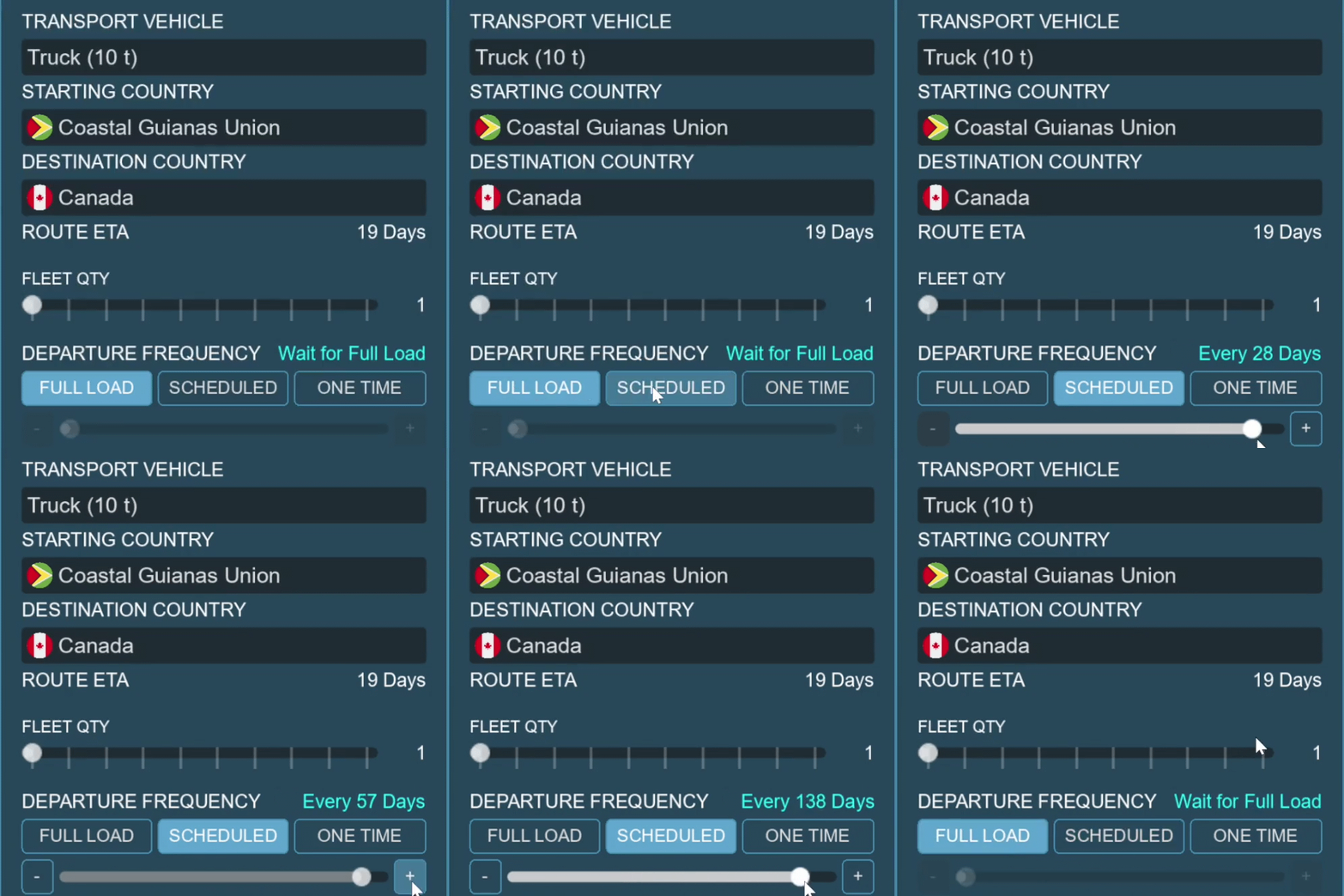
- Swapped the departure frequency from a OptionsMenu to 3 buttons and a slider. Since "Wait For Full Load" seems to be the default for most situations, that is what is selected by default, but if you would rather schedule it, you can. Now instead of the arbitrary days and weeks I selected, you can be as granular as you want with your frequency.
- Added WASD movement controls. Along with Q/E for zoom out and zoom in. Hold SHIFT to move faster, and hold ALT to move slower. All controls are re-bindable.
- The Game now pauses when you receive a forced communication message. (Except for Uncle Ian's intro)
BALANCE
A quick note about balance changes. Anything to do with recipes will not be changed in your save unless you "Change Production" on that particular building. Employees however WILL change the moment you click on a building and open its Tile Info Panel.
- Upgrading buildings no longer costs Influence, only money.
- Employee efficiency received a nerf. Previously, you could hire employees up to 100x the level, and then up to $1,000 daily pay and $1,000 daily benefits. that would increase efficiency on a curve up to 400%. That curve still exists, but the sliders are maxed to only allow 200% increase employee efficiency at level 1, and 400% employee efficiency at level 10.
Level 1: 200% employee efficiency max.
- Level 2: 222%
- Level 3: 244%
- Level 4: 267%
- Level 5: 289%
- Level 6: 311%
- Level 7: 333%
- Level 8: 356%
- Level 9: 378%
- Level 10: 400%
- Obviously, keep in mind that these percentages are on TOP of the level bonuses you get for leveling up. Boosting a building's production 400% for zero up-front cost just by throwing bodies at it is a bit silly. Now if you are going to hire more employees and adjust their wages, you'll need to increase the quality of the building as well. And since leveling doesn't cost influence any more, this shouldn't be too painful.
- Renewable Power Plants have been nerfed. This combined with the employee efficiency nerf will make them less OP.
Hydro - From 4,800 MWh to 3,500
- Geo - From 2,400 to 2,000
- Wind - From 3,600 to 1,500
- Solar - From 2,400 to 1,200
- Changed the required Research for animal products that required a Meatworks to "Meat Processing and Packaging". This was less about balance, and more about clarity. (Beef, Fat, Feathers, Hide, Meat, Pork, and Poultry)
- Adjusted Avocado and Asparagus fertilities. These two got jumbled up at some point, and now they are as intended.
- Asparagus:
Expert: China, Peru, and Mexico.
- Advanced: Germany, Spain, and Italy.
- Standard: Japan, France, and North Sea Union.
- Avocado:
Expert: Mexico, Colombia, and Peru.
- Advanced: Caribbean Union, Kenya, and Indonesia
- Standard: Brazil, Chile, Levant Union, and Central American Union
- EIU Building costs rework:
EIU buildings now have their stats viewable by the player, so now their stats have to actually make sense. Previously they just had a flat "Maintenance" daily cost, now the numbers are spread out over employees and utilities as well.
Protected Forest - Previously flat $10/day maintenance:
Coverage: 2 Employees, Wages: $80/day, $20/day Benefits
- Utilities: Power: 0 KWh, Water: 10 m3/day, $10/day Maintenance
- Pollution Offset: 100
- Private Conservancy - Previously flat $100/day maintenance:
Coverage: 5 Employees, Wages: $90/day, $25/day Benefits
- Utilities: Power: 0.5 KWh, Water: 25 m3/day, $50/day Maintenance
- Pollution Offset: 250
- Wildlife Refuge - Previously flat $500/day maintenance:
Coverage: 12 Employees, Wages: $120/day, $30/day Benefits
- Utilities: Power: 1 KWh, Water: 60 m3/day, $200/day Maintenance
- Pollution Offset: 800
- Carbon Sink - Previously flat $250/day maintenance:
Coverage: 8 Employees, Wages: $100/day, $25/day Benefits
- Utilities: Power: 0.5 KWh, Water: 150 m3/day, $100/day Maintenance
- Pollution Offset: 500
- Seed Bank - Previously flat $2,500/day maintenance:
Coverage: 20 Employees, Wages: $250/day, $60/day Benefits
- Utilities: Power: 15 KWh, Water: 20 m3/day, $1,000/day Maintenance
- Pollution Offset: 200
- Artificial Coral Reef - Previously flat $150/day maintenance:
Coverage: 6 Employees, Wages: $150/day, $40/day Benefits
- Utilities: Power: 0.5 KWh, Water: 0 m3/day, $150/day Maintenance
- Pollution Offset: 800
- Ocean Cleanup Rig - Previously flat $25,000/day maintenance:
Coverage: 40 Employees, Wages: $200/day, $5/day Benefits
- Utilities: Power: 0.5 KWh, Water: 0 m3/day, $5,000/day Maintenance
- Pollution Offset: 10,000
- Direct Air Capture - Previously flat $50,000/day maintenance:
Coverage: 80 Employees, Wages: $300/day, $80/day Benefits
- Utilities: Power: 100 KWh, Water: 200 m3/day, $15,000/day Maintenance
- Pollution Offset: 100,000
- Raised pollution of Nuclear Plant from 1 EIU to 80.
- Raised pollution of Nuclear Power Plant from 0 EIU to 10.
- Nuclear Fuel Supply Chain Rework:
Previously, if you were interested in making your own fuel rods to power a nuclear power plant, you would need 4480 buildings, if you didn't do any leveling up or employee efficiency shenanigans. Some recipes have been adjusted to make this much more attainable.
- Yellow Cake Uranium will now require 50 tons of Uranium Ore to make 0.8 tons. (Previously 100 tons to make 0.4 tons.)
- U-235 will still require 2 tons of Uranium Hexafluoride Gas, but will make 0.25 tons.(Previously 0.08 tons.)
- Uranium Dioxide Powder will now require 0.75 tons of U-235. (Previously 0.87 tons.)
- Uranium Fuel Rods now require 1.0 tons of Uranium Dioxide Pellets. (Previously 0.95 tons.)
- Uranium Fuel Assemblies now require 1.0 tons of Uranium Fuel Rods. (Previously 0.9 tons.)
- Nuclear Power Plants will now burn 0.1 units per day instead of 1. This chain is not profitable with one single Nuclear Power Plant. (If you are running the production buildings at 100% Efficiency.) Where this will pay off is running multiple Nuclear Power plants, up to 10 of them with these numbers.
- Increased the output qty of every crop 20-100%. Starting Timber Farms were adjusted to level 1 instead of level 3.
- Decreased the fertilizer requirement of peanuts from 3t/day to 1t/day.
- Increased the production of "Case of..." and "Canned..." packaged goods. This better makes use of the building, making packaging more worth the time. Instead of paying for 5 or 6 building's worth of employees for the same throughput.
- Bottled Alcohol had basically every stat changed. Since the bulk alcohol coming out of the Agri-Processor would take 3x the number of packaging plants. That seems a bit backwards. Instead I scaled the inputs of the bottled alcohol to match the outputs of the bulk alcohol, and adjusted the price to encourage supplier contracts or internal supply for the recipes.
- Increased production of Poultry Feed, Pig Feed, and Livestock Feed. To make production more profitable.
- Increased production of Milk, Sugar, Chocolate, Orange Juice, Flour, Bread, Cheese, Butter, and Roasted Coffee Beans. To make production more profitable.
- Livestock, Livestock Processing, and a couple of animal direct products received some shifted inputs/outputs and values to make them all work a little better together, and to make it so that it is actually worth it to process livestock.
- Changed the Research requirement of Lead Bearings from "Precision Machining" to "Basic Metal Forming". Reducing the RP requirement from 13K to 600. This was leading to making fishing nets early in the game difficult.
- Train Station now comes with 10,000 tons of storage, and costs $8M to build.
- Sea Port now comes with 20,000 tons of storage, and costs $15M to build.
- Buffed Regolith Refinery recipes 10x.
VISUAL & PERFORMANCE
- A few days after launch, launch options were added to the game. This was because some players were having issues with the default renderer. DirectX12 seems to solve those issues, and OpenGL will solve issues even further (But removes things like fog and lighting.)
- Added Anti-Aliasing options to the graphics menu. Default is set to Disabled
- Lowered the minimum "Max FPS" to 30 instead of 60.
- Made the country labels a bit more dynamic to the zoom level. That way you aren't seeing country labels from across the world that should be out of sight. (Mostly.)
- Replaced the skybox material with a shader, saving some VRAM.
- Updated several UI sections to play better with lower resolutions. (New Game Menu, Communication Menu, Storage Panel, Research Menu, Contracts Menu, Objectives Menu, Supplier Contracts, Manifest, and Tutorial)
- Fixed hitch when hitting the "Load Game" button in the main/pause menu.
TUTORIAL
- Adjusted Uncle Ian's starting dialogue to appear in fewer message bubbles so that it doesn't take as long when starting a new game.
- Added the UI sparkles to the first "Acknowledge" button when talking to Uncle Ian for the first time. The entire UI is locked until you click that button, so I don't want to leave anyone confused.
- Enabled the Demolish tool in case you make a mistake you would like to fix.
- Reworded much of the tutorial to be a bit clearer, and from the point of view of the tutorial. (Instead of perhaps Uncle Ian which wouldn't make much sense.)
GUIDE
- ../Controls & Camera > Zoom - Adjusted to include new controls.
- ../Controls & Camera > Rotate/Pan - Adjusted to include new controls.
- ../Interface > Storage Panel - Updated Image and added explanations about the new icons.
- ../Build Menu > Building - Replaced Image, and added details about rotating buildings.
- ../Build Menu > Popup_Info Panel - Renamed to "Tile Info Panel", replaced image, and added new details.
- ../Build Menu > Upgrading - Added a note about downgrading.
- ../Country Markets > Generation Grouping - Moved to World Tick Manager category.
- ../Trade Buildings > Train Station - Added note about increasing storage.
- ../Trade Buildings > Seaport - Added note about increasing storage.
- Directives & Data > Public Relations - Added category.
- ../Public Relations > Director Mercer - Added section.
- ../Public Relations > Climate Crisis - Added section.
- ../The Ultima Mundi Project > Phase 6 : "Mars" - Added section.
- ../Planets > Mars - Added section.
BUG FIXES
- Fixed resolution resetting to 1080 when changing window mode.
- Fixed building issue that was flooding logs with errors.
- Fixed issue with obscured build_menu labels when a build_menu sub-menu was extended.
- Fixed issue with Uncle Ian communication and bailout screen grabbing your inputs at the time of interruption, and then continuing them when the interruption is over even when you aren't inputting. (Like if you were rotating the globe and got the popup, once you closed it you would be stuck rotating until you hit and released the button again.)
- Fixed issue with some objectives not triggering when complete.
- Fixed issue with Money Ladder achievements not taking debt into account when loading a save.
- Fixed issue with some non-upgradable buildings showing their building level when the Upgrade Tool was selected.
- Fixed Global Perception math for Employee Wages and Employee Benefits. (They were backwards, and penalized you for paying your employees more.)
- Fixed Global Perception starting you off with (-2) researches unlocked instead of zero.
- Fixed issue with creating multiple trade routes while the game was paused overwriting previous trade route every time.
- Fixed issue with all non-ton units getting converted to "u" units when arriving at trade destination and calculating what could fit in the warehouse. Meaning anything smaller than "Medium Class" could only fit 100K units in a 10K ton Warehouse!
- Fixed issue with imported goods going to waste not spawning a news article telling the player there is an issue. Everybody loves the News Panel... right?
- Fixed Recipe for Control Consoles asking for tons of Levers instead of units.
- Fixed Iceland's Benefits multiplier from 12.1x to 1.2x.
- Fixed typo in achievement: from "To Big To Fail" to "Too Big To Fail".
- Fixed typo in Guide>Ultima Mundi>Phase 2.
- Fixed typo in Library> "Sensitivity".
- Fixed issue with upgrades actually costing 20% more than what was being shown.
- Fixed issue with Financial Policies not reflecting in the Finance Menu.
- Fixed issue with Policies not properly enabling when loading a saved game.
- Fixed the "Exit Without Saving" option from the main menu where saving is not an option, and replaced it with "Exit".
- Not a fix, but hopefully a way to better track down bugs. Added a whole bunch of info that will be printed to the .log files.
0.3 Plans
- Phase 7: "Venus"
- Satellite Network
- Contracts Re-work
- New item chain (Poll on Discord)
- About a dozen+ QoL Features
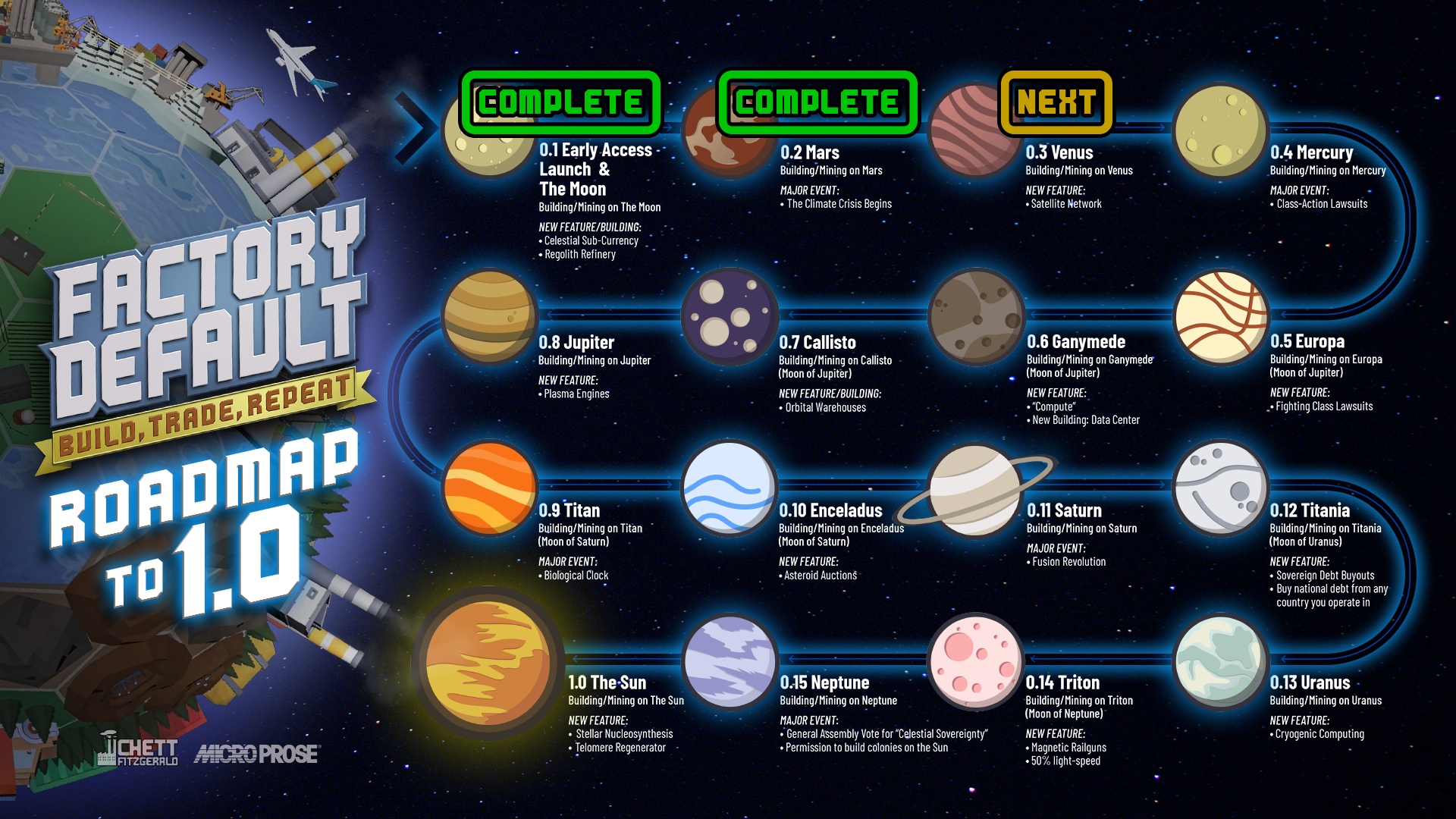
If a feature I am working on has something to show visually, I will post on Discord. So if you want to see what is coming in semi-real-time, that's the place!
If you are someone who gave me suggestions for additional features, and you don't see them here, fear not, as I pushed about half of them on to future updates. Simply because v0.2 was taking long enough. Obviously not everything suggested will make it into the game, but I take them all seriously.
Again, thank you so much if you have taken the time to play the game. I am extremely interested in hearing about your experience. There is a feedback button in the main/pause menu of the game if you want to formally report any bugs. There is also the Factory Default Discord where you can discuss bugs or features. You can also utilize the discussion boards on Steam if you wish. I will try to respond wherever I see feedback.
Speaking of feedback, if you happen to purchase the game, I appreciate it very much, and I know those on the fence would love to hear what you think. Ratings matter a great deal.
Until next time,
-Chett
Check out Factory Default on Discord!